

Have no fear. SuperDuper v3.9 is here, and it includes full Sequoia support!
SuperDuper is the wildly acclaimed program that makes recovery painless, because it makes creating a fully bootable backup painless. Its incredibly clear, friendly interface is understandable, easy to use, and SuperDuper’s built-in scheduler makes it trivial to back up automatically. It’s the perfect complement to Time Machine, allowing you to store a bootable backup alongside your Time Machine volume—and it runs beautifully on your Mac!
Version 3.9 supports bootable backups for Sequoia, Sonoma, Ventura, Monterey, Big Sur, is Apple silicon native, adds Dark Mode support, and improves Cloud file handling. It includes previous improvements, allowing you to ignore “missing drive” errors during scheduled copies, and Smart Wake, which ensures your backups happen whether your Mac is awake or asleep…and won’t turn on your screen if your Mac is already awake.
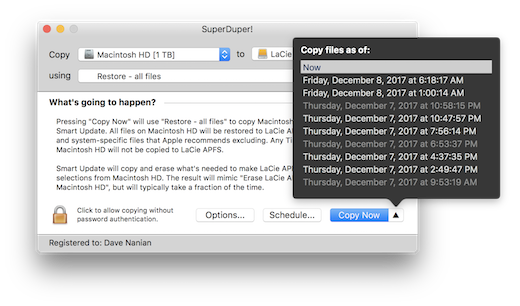
This new version also includes Smart Delete, an awesome capability that minimizes the possibility of disk full errors while maintaining safety with no speed penalty, native Notification Center support, a Finder extension to quickly run copies, and other improvements. SuperDuper can even create and copy from snapshots, which means with an APFS backup drive, you can restore today’s Smart Update, yesterday’s, etc! It’s super cool.
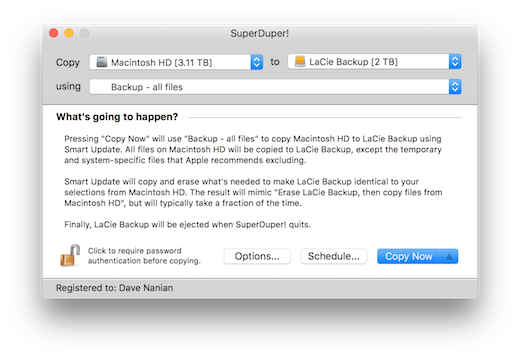
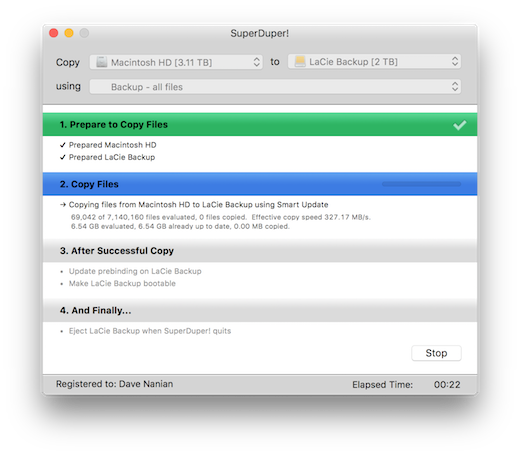
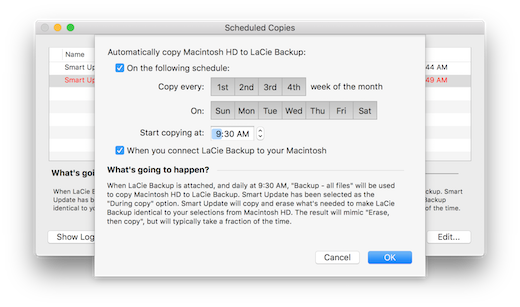
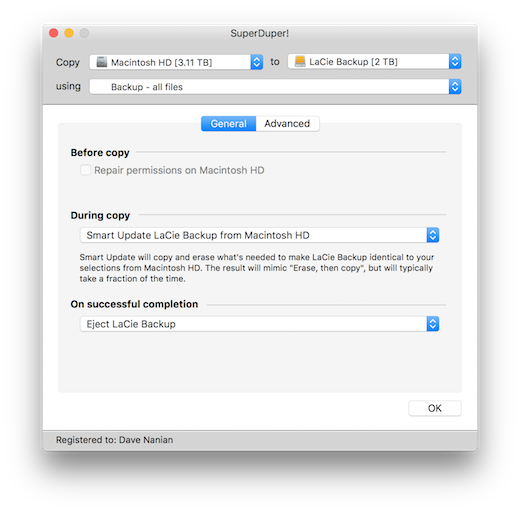
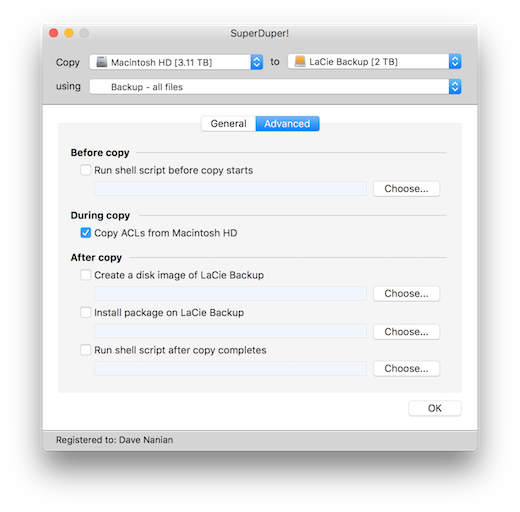
SuperDuper’s interface confirms all your actions in simple, clear language to ensure that the end result is exactly what you intended. Take a look, and click for additional screen shots!
· Main Window · Progress · Snapshots · Scheduling · General Options · Advanced Options ·
The SuperDuper! Main Window
We all know that using the Macintosh is usually a trouble-free experience.
Except when it’s not. Like when:
- Your hard drive starts making that horrible clicking noise that signals an imminent meltdown
- A momentary lapse of coordination causes your MacBook Pro to take a dirt nap
- The system suddenly fails to boot
- Your most important day-to-day application isn’t working with the system update you just applied
- The new driver you just updated is causing your Macintosh to crash
- That lousy software you just tried didn’t come with an uninstaller, and scattered files all over your drive
- You need to restore a stable copy of your system, but don’t want to lose what you’ve been working on
- You need to test new versions of the operating system with production data you can’t afford to lose
It happens to all of us, eventually. And recovering can be a painful, error-prone, time-wasting experience, if it’s even possible at all. Until now.
- Flexibility
- Speed
- Ease of use
- Acclaim
- Experts
- Testers
Carbon copies. And a whole lot more.
SuperDuper is the most advanced, yet easy to use disk copying program available for macOS. It can, of course, make a full backup, or “clone” — in moments, you can completely duplicate your boot drive to another drive, partition, or image file. In even less time, you can update an existing clone with the latest data: use Smart Update and, minutes later, your backup is completely up to date!
Get cloned.
Give SuperDuper a workout on your own system. Clone to your heart’s content—for free. See what else is possible. When you’re convinced that SuperDuper is a terrific solution—and a great value at US$27.95—you can click buy now, have the registration entered with a single click, and start using its advanced features immediately!
Download the free trial now!
Download Now!
You can download SuperDuper! v3.9 right now and back up and clone your drives for free— forever!
Buy Now!
US$27.95 Buy SuperDuper! to unlock scheduling, Smart Update (which saves a lot of time), Sandboxes, scripting and more!
You can register right from the application, or simply click to buy it now.
v3.9 now available!
Sequoia (macOS 15), Sonoma (macOS 14), Big Sur (macOS 11), Monterey (macOS 12). Ventura (macOS 13) users: we can make bootable Intel and Apple silicon backups: see the Shirt Pocket blog for instructions.
The latest version of SuperDuper! is faster, better, fully compatible with Sequoia (macOS 15), Sonoma (macOS 14), Big Sur (macOS 11), Monterey (macOS 12), and Ventura (macOS 13) – in fact, it’s compatible with macOS 10.13 and later, has Dark Mode, Cloud file handling, Smart Wake, Smart Delete, Notification Center support, additional control capabilities, and improves many aspects of the user experience. Of course, it still includes great features like snapshot support, APFS recovery volume support, Backup on Connect, Eject after Copy, Sparse Bundle support, lets you store a bootable backup alongside Time Machine backups, copy Time Machine backups to other drives, and run scheduled copies on demand. As with every update, we’ve polished and improved many other aspects as well. (A full list can be found by selecting Help > Revision History.)
It’s a free update for users: existing copies of SuperDuper! will auto-upgrade the next time they are run, or you can download now.
Frequently Asked Questions RSS feed now live!
You can now subscribe to the frequently asked questions section of the SuperDuper forums. Subscribe now!
![[Valid RSS]](https://www.shirt-pocket.com/graphics/valid-rss.png "Validate my RSS feed")
Want More Information?
SuperDuper’s full, 60 page User’s Guide is available for download. Unanswered questions? Contact us

System Requirements
SuperDuper v3.9 requires High Sierra (macOS 10.13) or later, is Sequoia (macOS 15) compatible, and supports both APFS and HFS+ volumes.
Big Sur (macOS 11) and later users, see the Shirt Pocket blog for instructions.
Yosemite (10.10), El Capitan (10.11) and Sierra (10.12) users can download v3.8; Mavericks (10.9) users can download v3.1.1; Mountain Lion (10.8) users can download v2.9.2; Lion (10.7) users can download v2.8; Tiger (10.4), Leopard (10.5) and Snow Leopard (10.6) users can download v2.7.1; Jaguar (macOS 10.2) users can download v1.5.5; and Panther (macOS 10.3) users can download v2.1.4, the last releases available for those older versions of macOS.
Please note that SuperDuper! is not designed to back up to CDs, DVDs or Tape, and needs a location (other than the boot volume) to store the backup – typically a volume on an internal or external (FireWire, USB2, USB3 or Thunderbolt) drive.
SuperDuper! only copies APFS (Apple File System) and HFS+ (Mac OS Extended) volumes.
Note also that USB drives do not allow booting Power PC based Macintoshes under any version of macOS: this is not a SuperDuper! limitation, but one of the OS. If you would like to boot from a backup stored on an external drive, and have a Power PC based Mac, please purchase a Mac compatible FireWire drive for Power PC Macs. Intel Mac users can boot from USB 2, USB 3, Thunderbolt or FireWire drives.
Built by Macintosh users, for Macintosh users.
Like all Shirt Pocket products, SuperDuper has been carefully designed, tested and implemented to ensure an excellent user experience. But should you have a problem, our technical support is free!
Contact
Email your questions and comments.
Testing White Paper Available!
Check out our white paper that describes how SuperDuper can be used to test multiple versions of an operating system (or anything else that requires system isolation). This methodology is great for ADC members and other “seed” sites!
Fragmentation White Paper Available!
We’ve also got a brief white paper describing how SuperDuper can be used to quickly defragment your system.
Home | SuperDuper | netTunes | launchTunes | Buy Now! | Support | Discussions | About Shirt Pocket
© 2002-2024 by Shirt Pocket. All rights reserved.
 R.M.P Marotta Long Island
Leave a comment