
https://blog.google/products/android/android-16/
Android 16 is here
Read AI-generated summary
Seang Chau
VP and GM of Android Platform

Listen to article4 minutes
Today, we’re bringing you Android 16, rolling out first to supported Pixel devices with more phone brands to come later this year. This is the earliest Android has launched a major release in the last few years, which ensures you get the latest updates as soon as possible on your devices.
Android 16 lays the foundation for our new Material 3 Expressive design, with features that make Android more accessible and easy to use. Let’s take a look at what’s new:
Streamlined and up-to-date notifications
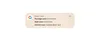
Waiting for your food delivery to get to your house? Instead of opening your delivery app every 5 minutes, live updates keep you informed in real-time. These live updates are starting with compatible ride-share and food delivery apps. We’re working together with these app partners to bring this capability to the Android ecosystem, including in Samsung’s Now Bar and OPPO and OnePlus’ Live Alerts.
UI may vary
We’re also force-grouping notifications that come from a single app to help reduce information overload. Your notifications will automatically be grouped together to keep things looking tight and organized.
Clearer, simpler calling with hearing devices
Android 16 provides significant enhancements for people who use hearing aids 1 . Current LE audio hearing devices use their built-in front-facing mics for audio input. Those mics are designed to pick up the sound of the person you’re speaking to — not the sound of your voice. Now you can switch to using your phone’s microphone for clearer calls in noisy environments.

We’re also releasing native control for hearing devices in Android 16 for easier access and a more consistent experience. This means you can now control things like volume on your hearing devices right from your Android phone.

Stronger security in a single tap
With Android 16, you can now activate Advanced Protection 2 , Google’s strongest mobile device protection. It enables an array of robust device security features that protect you from online attacks, harmful apps, unsafe websites, scam calls and more. Whether you’re a public figure or you just prioritize security, Advanced Protection gives you greater peace of mind that you’re protected against the most sophisticated attacks.
Enhanced productivity for tablets
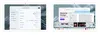
Samsung DeX has helped maximize productivity on phones, foldables and tablets for years. In Android 16, we worked closely with Samsung to develop desktop windowing, a new way to interact with your apps and content on large-screen devices. In addition to the single app and split-screen modes, you can open, move and resize multiple app windows in a single screen, just like a desktop. This makes it easier to work across apps. Android 16’s desktop windowing will roll out later this year on compatible devices.
Later this year, we’re also launching custom keyboard shortcuts, so you can create your own combination of hotkeys, and taskbar overflow, which provides a simple, visual way for you to find the app you need when the taskbar is full. Future updates will also bring even more productivity enhancements to Android, allowing you to connect tablets and phones to an external display for an expanded desktop experience, and developers can begin testing those features starting today.
There are many more features to explore with Android 16 — like HDR screenshots, adaptive refresh rate, identity check and others — as well as additional updates coming to Android and Pixel devices today. And later this year, more Material 3 Expressive design updates are coming to Android 16 and Wear OS 6 on Pixel devices.
See all the Android 16 features at Android.com/16.
POSTED IN:
Related stories
Android6 new Android features that are tailored to youJun 10, 2025
AIThe latest AI news we announced in MayJun 05, 2025
AndroidWatch how our Android XR glasses work with Gemini in the real world.May 23, 2025
AIHow well do you know our I/O 2025 announcements?May 22, 2025
AndroidA new look at how Android XR will bring Gemini to glasses and headsets
AccessibilityNew AI and accessibility updates across Android, Chrome and moreMay 15, 2025Jump to position 1Jump to position 2Jump to position 3Jump to position 4Jump to position 5Jump to position 6
 R.M.P Marotta Long Island
Leave a comment